


Introduction
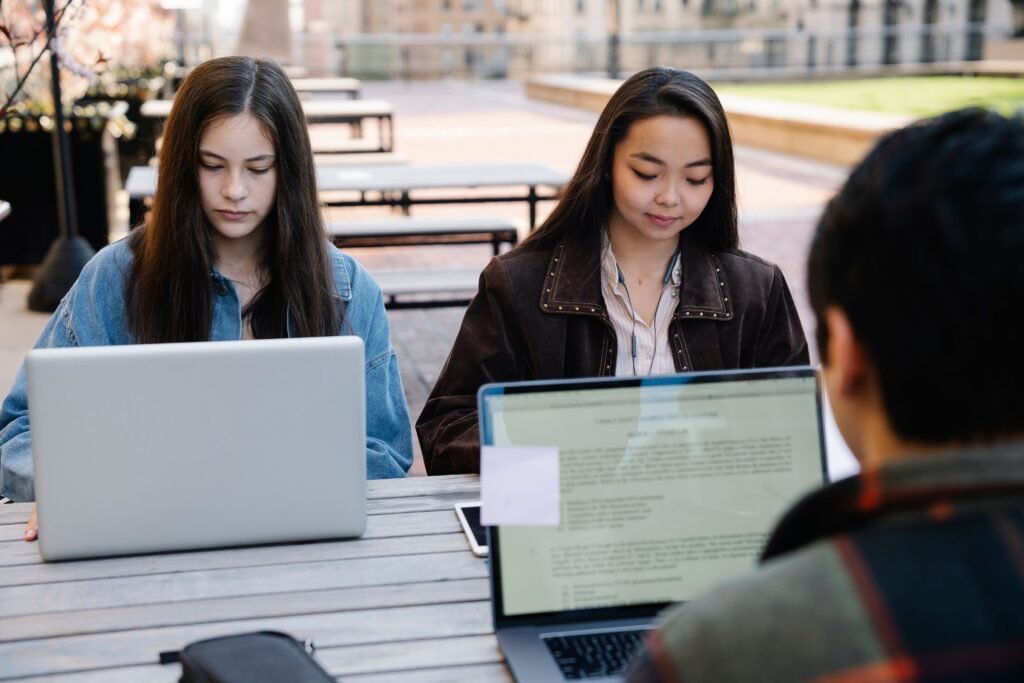
Technology has become one of the most important parts of modern education. Students today live in a world where computers, smartphones, tablets, the internet, digital books, educational applications, online classes, and artificial intelligence are becoming common tools for learning.
In the past, students depended mainly on teachers, textbooks, notebooks, libraries, and classrooms. If a student wanted to learn something that was not in the textbook, the student often had to visit a library or ask a teacher. Finding information could take a long time.
Today, the situation is very different. A student can use a smartphone or computer to search for information within seconds. A student can watch an educational video, read an online book, communicate with a teacher, attend an online class, complete an assignment, and work with classmates without being in the same physical location.
Technology has therefore changed not only what students learn, but also how they learn.
However, technology is not automatically good or bad. Its effect depends on how students use it. When technology is used responsibly, it can make education easier, faster, more flexible, and more interesting. When it is used carelessly, it can create problems such as distraction, cheating, misinformation, excessive screen time, cyberbullying, and loss of concentration.
This article explains the relationship between technology and students in detail. It discusses the meaning of educational technology, the history of technology in education, computers, smartphones, the internet, online learning, digital libraries, educational applications, artificial intelligence, social media, communication, research, homework, examinations, creativity, collaboration, accessibility, cybersecurity, privacy, distractions, cheating, screen time, teachers, parents, the future of education, and responsible technology use.
Chapter One: What Is Technology?
Technology is the use of knowledge, tools, machines, systems, and methods to solve problems and make tasks easier.
Many people think technology means only computers and smartphones. This is not correct.
Technology includes many different things.
A pencil is a simple technology.
A calculator is technology.
A television is technology.
A computer is technology.
A smartphone is technology.
A school projector is technology.
The internet is technology.
A digital learning platform is technology.
Artificial intelligence is also a form of modern technology.
Technology has existed for thousands of years. Humans have always created tools to make work easier.
For students, technology means using these tools to support learning and education.
Example
A student writing an assignment with a pen is using a simple tool.
A student typing the same assignment on a computer is using digital technology.
Both methods can help the student complete the assignment, but the computer provides additional features such as editing, searching, saving, formatting, and sharing.
Chapter Two: The History of Technology in Education
Technology has been connected to education for a very long time.
Before modern computers, teachers used simple educational tools such as chalkboards, maps, printed books, charts, rulers, and laboratory equipment.
The development of the printing press made books easier to produce and distribute. This had a major effect on education because students could access printed learning materials more easily.
Later, schools began using radio and television for educational programs.
Then computers entered schools.
After that, the internet became an important educational resource.
Today, students can use smartphones, tablets, online classrooms, cloud storage, digital libraries, video lessons, and AI-powered educational tools.
Educational technology has therefore developed gradually.
From Blackboard to Smart Classroom
A traditional classroom may have a teacher standing in front of students and writing information on a blackboard.
A modern classroom may have:
- A computer
- A projector
- Internet access
- Digital presentations
- Educational videos
- Online learning platforms
- Interactive screens
- Digital textbooks
- Online quizzes
The purpose remains the same: helping students learn.
The difference is that modern technology provides more ways to present information.
Chapter Three: Computers and Students
Computers are among the most useful technological tools for students.
A computer can help students perform many educational tasks.
Students can use computers to:
- Write assignments
- Research information
- Create presentations
- Calculate mathematical problems
- Learn programming
- Watch educational videos
- Attend online classes
- Read digital books
- Store documents
- Communicate with teachers
- Work with classmates
- Practice languages
Computers are especially useful for students who need to produce long assignments.
Instead of writing every sentence by hand, students can type their work and edit it easily.
If a student makes a mistake, the student can delete or correct it without rewriting the entire page.
Example
Imagine a student writing a 20-page report.
If the report is handwritten and the student discovers a mistake on page 10, correcting the mistake may be difficult.
On a computer, the student can simply edit the sentence.
This makes writing and editing much easier.
Chapter Four: Smartphones and Students
Smartphones are now powerful computing devices.
Many students use smartphones every day.
A smartphone can provide access to:
- The internet
- Educational applications
- Digital dictionaries
- Online libraries
- Video lessons
- Translation tools
- Calculators
- Maps
- Messaging
- Learning platforms
A smartphone can therefore become a small learning device.
However, smartphones can also distract students.
A student may open a phone to search for information and then become distracted by social media, games, videos, or messages.
Therefore, students need self-control when using smartphones for education.
Example
A student may open a phone to search for the meaning of an English word.
After finding the meaning, the student may receive a social media notification.
The student opens the notification and spends 30 minutes watching unrelated content.
The smartphone helped the student at first, but poor use created a distraction.
Chapter Five: The Internet and Students
The internet has changed education dramatically.
Students can use the internet to access a huge amount of information.
They can search for:
- History
- Science
- Mathematics
- Geography
- Languages
- Literature
- Computer science
- Business
- Technology
- Current information
- Educational resources
The internet also allows students to communicate with people in other countries.
A student can participate in an online course created by an institution located thousands of kilometers away.
This makes education more connected than ever before.
Chapter Six: Online Learning
Online learning allows students to study through the internet.
Students can attend classes from home or another location.
Online learning can include:
- Live video classes
- Recorded lectures
- Online assignments
- Digital textbooks
- Online discussions
- Online examinations
- Educational videos
- Interactive exercises
Online learning became especially important when schools and universities were unable to operate normally during emergencies.
It also provides opportunities for students who live far from educational institutions.
Example
A student who lives in a rural area may not have access to a university nearby.
Through online education, the student may be able to study courses remotely.
Chapter Seven: Digital Books
Digital books, often called e-books, are electronic versions of books.
Students can read them using:
- Computers
- Tablets
- Smartphones
- E-readers
Digital books can be useful because students can carry many books on one device.
A student does not need to carry a heavy bag full of textbooks if the books are available digitally.
Digital books can also include search functions.
For example, if a student wants to find a specific word, the student can search for it instead of looking through every page.
Chapter Eight: Digital Libraries
Traditional libraries remain important, but digital libraries provide additional opportunities.
Students can access many resources online.
Digital libraries may contain:
- Books
- Academic papers
- Reports
- Historical documents
- Research materials
- Newspapers
- Journals
- Educational videos
This allows students to conduct research without always visiting a physical library.
However, students must learn how to identify reliable sources.
Not everything available online is correct.
Chapter Nine: Technology and Homework
Technology can make homework easier.
Students can use digital tools to research topics, organize information, calculate answers, check spelling, create presentations, and communicate with classmates.
However, students should not allow technology to do all of their thinking.
The purpose of homework is usually to help students understand and practice what they have learned.
If a student simply copies an answer from the internet without understanding it, the student may complete the homework but learn very little.
Good Use
A student reads information online, understands it, and then explains the idea in their own words.
Poor Use
A student copies an entire answer from a website and submits it without reading it.
The first approach supports learning. The second approach can reduce learning and may create academic honesty problems.
Chapter Ten: Technology and Research
Research is an important part of education.
Students often need to collect information before writing assignments or preparing presentations.
Technology provides powerful research tools.
Students can search online databases, digital libraries, educational websites, and academic resources.
However, research requires critical thinking.
A student should ask:
- Who created this information?
- Is the source reliable?
- When was it published?
- Does another reliable source support the information?
- Is the information fact or opinion?
- Does the source provide evidence?
These questions help students avoid misinformation.
Chapter Eleven: Technology and Communication
Technology has made communication between students and teachers much easier.
Students can communicate through:
- Educational platforms
- Messaging systems
- Video calls
- Online discussion boards
A student who has a question about homework may be able to contact a teacher electronically.
Students can also work together even when they are not in the same classroom.
Example
Five students are working on one project.
One student lives in one part of the city, while the others live in different areas.
They can use online communication tools to share ideas, documents, and responsibilities.
Chapter Twelve: Technology and Collaboration
Collaboration means working together.
Modern technology makes collaboration easier.
Students can work together on documents, presentations, research projects, and other assignments.
Cloud-based tools allow multiple students to access shared files.
This teaches students an important skill for the modern workplace.
Many jobs require people to work with colleagues who may live in different cities or countries.
Students who learn digital collaboration can develop useful communication and teamwork skills.
Chapter Thirteen: Technology and Presentations
Students often need to give presentations.
Technology can make presentations more interesting.
Students can use presentation software to create:
- Slides
- Images
- Charts
- Diagrams
- Videos
- Tables
- Animations
A good presentation should not contain too much text.
Students should use technology to support their explanation rather than simply reading every word from the screen.
Example
Instead of putting a whole paragraph on one slide, a student can use a short list of key points and explain those points verbally.
Chapter Fourteen: Educational Applications
Educational applications are software programs designed to support learning.
There are applications for many subjects.
For example:
- Mathematics applications
- English-learning applications
- Language applications
- Science applications
- Coding applications
- Reading applications
- Geography applications
Some applications use quizzes and games to make learning more interactive.
Students can practice repeatedly and receive immediate feedback.
This can be useful because students do not always learn everything correctly the first time.
Chapter Fifteen: Technology and Mathematics
Technology can support mathematics education.
Students can use calculators, graphing tools, educational applications, spreadsheets, and mathematical software.
These tools can help students understand difficult concepts.
For example, a graphing application can show how a mathematical equation creates a graph.
Instead of only reading about the graph, students can see it.
However, students should still learn basic mathematical skills.
Technology should support understanding rather than completely replace mathematical thinking.
Chapter Sixteen: Technology and Science
Science education can benefit greatly from technology.
Students can watch scientific experiments, explore simulations, analyze data, and study models.
Technology can help students understand things that are difficult to observe directly.
For example, students cannot easily travel inside the human body to study cells.
But digital models and scientific videos can help them understand how cells work.
Chapter Seventeen: Technology and Language Learning
Technology provides many opportunities for learning languages.
Students can use:
- Digital dictionaries
- Translation tools
- Language applications
- Videos
- Podcasts
- Online conversations
- Digital books
- Pronunciation tools
A student learning English can listen to native speakers through educational videos.
The student can repeat words and practice pronunciation.
Technology can therefore provide additional language practice outside the classroom.
Chapter Eighteen: Artificial Intelligence and Students
Artificial intelligence, or AI, is becoming an important part of education.
AI systems can help students explain concepts, generate practice questions, organize ideas, translate text, summarize information, and support some types of writing.
AI can be useful when students use it as a learning assistant.
For example, a student who does not understand a difficult concept can ask an AI system to explain the concept using simple language.
However, students should not depend completely on AI.
They should think, read, verify information, and develop their own skills.
AI systems can sometimes provide incorrect or incomplete information.
Students therefore need critical thinking.
Chapter Nineteen: Technology and Creativity
Technology can help students become more creative.
Students can create:
- Videos
- Music
- Drawings
- Websites
- Presentations
- Digital stories
- Animations
- Computer programs
- Posters
A student interested in art can use digital drawing tools.
A student interested in music can use music-production software.
A student interested in programming can build a simple application.
Technology gives students more ways to express their ideas.
Chapter Twenty: Technology and Critical Thinking
Critical thinking means examining information carefully before accepting it as true.
This skill is especially important in the digital age.
The internet contains both accurate and inaccurate information.
Students may see a claim online and assume that it is true.
A good student should ask questions.
Where did the information come from?
Is there evidence?
Is the source trustworthy?
Are other reliable sources saying the same thing?
Critical thinking protects students from misinformation.
Chapter Twenty-One: Technology and Student Motivation
Technology can sometimes make learning more interesting.
Videos, interactive exercises, simulations, games, and digital activities can provide different learning experiences.
A student who finds a traditional textbook difficult may understand the same idea better through a video or interactive demonstration.
However, technology does not automatically make every lesson interesting.
Good teaching remains important.
Technology is a tool. Teachers and students decide how to use that tool.
Chapter Twenty-Two: Technology and Students with Disabilities
Technology can create important educational opportunities for students with disabilities.
Examples include:
- Screen readers
- Speech-to-text tools
- Text-to-speech tools
- Magnification software
- Digital accessibility features
- Alternative keyboards
- Captions
- Audio learning materials
These tools can help students access educational content in ways that match their needs.
Accessibility is an important part of modern education.
Chapter Twenty-Three: Technology and Distance Education
Distance education allows students to study without physically attending a school or university every day.
This can be useful for students who:
- Live far from schools
- Have work responsibilities
- Need flexible schedules
- Cannot easily travel
- Want to study specialized subjects
Distance education also creates opportunities for international learning.
A student may study from an institution located in another country.
Chapter Twenty-Four: Technology and Examinations
Technology is also used in examinations.
Some institutions use computer-based tests.
Digital examinations can provide immediate results for certain types of questions.
Technology can also help teachers organize grades and student records.
However, online examinations require strong systems for security and academic honesty.
Students should understand that technology does not remove the need for honest academic work.
Chapter Twenty-Five: Technology and Academic Honesty
Academic honesty means doing educational work honestly.
Students should not copy other people’s work and claim that it is their own.
Technology makes copying information very easy.
A student can copy text from a website within seconds.
However, copying without proper acknowledgment can be plagiarism.
Students should learn how to:
- Take notes
- Paraphrase
- Quote correctly
- Give credit to sources
- Create references
- Use their own ideas
Technology should make research easier, not make dishonesty easier.
Chapter Twenty-Six: Social Media and Students
Social media is a major part of modern digital life.
Students may use social media to communicate with friends, follow educational pages, join communities, and share information.
Social media can support learning when used responsibly.
For example, students can join an online group related to English learning or computer programming.
However, social media can also distract students.
Students may spend hours scrolling through content instead of studying.
The important issue is not simply whether students use social media, but how they use it.
Chapter Twenty-Seven: Online Distractions
One of the biggest challenges of technology for students is distraction.
A student may sit down to study with a computer.
The student opens a browser to research a school topic.
Then the student sees a video recommendation.
The student watches one video.
Another video appears.
Then the student checks messages.
After some time, the student realizes that very little studying has happened.
This is why students need good digital habits.
Chapter Twenty-Eight: Screen Time
Students may spend many hours looking at screens.
Screens can include:
- Phones
- Computers
- Tablets
- Televisions
- Gaming devices
Too much recreational screen use can interfere with study, sleep, physical activity, and face-to-face communication.
Students should create a healthy balance.
They can take breaks, move around, spend time outdoors, and avoid unnecessary screen use when studying or sleeping.
Chapter Twenty-Nine: Online Safety
Students should learn how to stay safe online.
They should be careful when sharing personal information.
Personal information can include:
- Full name
- Passwords
- Private messages
- Home information
- School information
- Financial information
- Private photographs
Students should also be careful with unknown links and suspicious messages.
Cybercriminals may use fake messages to trick people into giving away passwords or other information.
Chapter Thirty: Strong Passwords
Passwords protect digital accounts.
Students should avoid using very simple passwords.
They should not use the same password for every account when possible.
A strong password should be difficult for other people to guess.
Students should also protect their passwords and avoid sharing them unnecessarily.
Two-factor authentication can provide an additional layer of account protection when available.
Chapter Thirty-One: Cyberbullying
Cyberbullying is bullying that happens through digital technology.
It can occur through social media, messaging applications, online games, email, and other digital platforms.
Students should understand that online behavior can have real effects on other people.
If a student experiences cyberbullying, it can be useful to save evidence, block or report the person where appropriate, and tell a trusted adult, teacher, parent, or school official.
Technology should be used to support people, not harm them.
Chapter Thirty-Two: Privacy and Students
Privacy is another important issue.
Students should understand that information shared online may sometimes be difficult to completely remove.
Before posting something, students should think carefully.
They should ask:
“Would I be comfortable if this information became public?”
“Does this contain someone else’s private information?”
“Am I sharing more information than necessary?”
Learning about privacy is an important part of digital literacy.
Chapter Thirty-Three: Technology and Teachers
Technology does not replace teachers.
Teachers remain important because education is not only about receiving information.
Teachers can:
- Explain difficult ideas
- Encourage students
- Answer questions
- Give feedback
- Organize learning
- Understand classroom needs
- Help students develop discipline
- Support students socially and academically
Technology can support teachers by providing additional tools.
A good educational system can combine technology with effective teaching.
Chapter Thirty-Four: Teachers Using Digital Tools
Teachers can use technology to prepare lessons.
They can create presentations, digital quizzes, videos, online assignments, and interactive activities.
Teachers can also use technology to organize student information.
For example, a teacher can use a digital system to record grades and track assignments.
This can save time and improve organization.
Chapter Thirty-Five: Technology and Parents
Parents can also play an important role in helping students use technology responsibly.
Parents can encourage students to:
- Use technology for learning
- Protect their privacy
- Avoid dangerous websites
- Manage screen time
- Communicate respectfully
- Balance digital activities with real-life activities
Parents do not need to understand every new technology perfectly.
They can still help students by teaching good habits and encouraging responsible behavior.
Chapter Thirty-Six: Technology and Student Independence
Technology can help students become more independent learners.
A student does not always need to wait for someone else to provide every piece of information.
The student can search for resources, practice skills, watch explanations, and review lessons.
This can develop responsibility.
However, independence does not mean learning alone all the time.
Students should still ask teachers, parents, classmates, or experts for help when necessary.
Chapter Thirty-Seven: Technology and Time Management
Technology can help students manage time.
Digital calendars, reminders, task lists, and study applications can help students organize their responsibilities.
For example, a student can create a weekly study schedule.
The schedule might include:
Monday — Mathematics
Tuesday — English
Wednesday — Science
Thursday — History
Friday — Review
Good time management can reduce stress and help students complete assignments before deadlines.
Chapter Thirty-Eight: Technology and Note-Taking
Students can take notes digitally.
They can use computers, tablets, or smartphones to organize information.
Digital notes can be searched and edited easily.
However, some students may prefer handwriting because it can help them remember information.
The best method can differ from one student to another.
The important thing is to create useful notes that help the student understand and remember the lesson.
Chapter Thirty-Nine: Technology and Memory
Technology can help students review information.
Flashcard applications can provide repeated practice.
Educational quizzes can test knowledge.
Digital reminders can help students remember important dates.
However, students should not expect technology to remember everything for them.
They still need to understand the information.
Memorizing a fact without understanding its meaning may not be enough for deeper learning.
Chapter Forty: Technology and Reading
Technology has changed reading habits.
Students can read printed books or digital materials.
Digital reading can provide useful features such as:
- Search
- Highlighting
- Notes
- Dictionary tools
- Adjustable text size
However, students should develop strong reading habits regardless of the format.
Reading helps students improve vocabulary, knowledge, concentration, and communication skills.
Chapter Forty-One: Technology and Writing
Technology has transformed writing.
Students can use word-processing software to create documents.
They can:
- Edit sentences
- Correct spelling
- Change formatting
- Add headings
- Insert images
- Create tables
- Save different versions
This makes writing easier to manage.
However, students should not depend completely on automatic correction.
They should learn grammar, spelling, sentence structure, and vocabulary themselves.
Chapter Forty-Two: Technology and Communication Skills
Technology can help students practice communication.
They may write emails, participate in online discussions, create presentations, and communicate with people from different backgrounds.
These experiences can improve digital communication skills.
Students should learn to communicate respectfully online.
They should avoid insulting people and should think carefully before sending messages.
Chapter Forty-Three: Technology and Global Learning
The internet connects students around the world.
A student can learn about cultures, languages, geography, science, and history from people living in other countries.
This can increase awareness of the wider world.
Students can also participate in international educational projects.
Technology therefore makes education more global.
Chapter Forty-Four: Technology and Career Preparation
Students need technology skills for many modern careers.
Even jobs that are not directly related to computers may require digital skills.
Students may need to know how to:
- Use email
- Create documents
- Search for information
- Use spreadsheets
- Communicate online
- Protect accounts
- Work with digital systems
Students interested in technology careers can learn programming, networking, cybersecurity, data analysis, design, robotics, and AI.
Chapter Forty-Five: Technology and Programming
Programming is the process of giving instructions to a computer.
Students can learn programming through languages such as Python, JavaScript, Java, C++, and others.
Programming can develop problem-solving skills.
A student who learns programming learns how to break a large problem into smaller steps.
Example
Suppose a student wants to create a simple calculator.
The student must think about:
- What numbers will the user enter?
- What operation will be performed?
- How will the result be displayed?
- What happens if the user enters incorrect information?
This type of thinking can be useful beyond programming.
Chapter Forty-Six: Technology and Problem Solving
Technology education can teach students how to solve problems.
Students can learn to identify a problem, collect information, consider possible solutions, test ideas, and improve their solution.
This is useful in school and in everyday life.
Technology is therefore not only about using devices.
It can also teach ways of thinking.
Chapter Forty-Seven: Technology and Innovation
Innovation means creating or improving something.
Students can become innovators.
A student may notice a problem in their school or community and think about how technology could help.
For example, students could develop a simple digital system for organizing school activities.
Another student could create an educational website.
Another could design an application that helps students learn vocabulary.
Innovation begins with identifying a problem and searching for a useful solution.
Chapter Forty-Eight: Advantages of Technology for Students
Technology provides many possible benefits for students.
These include:
1. Fast Access to Information
Students can find information quickly.
2. Flexible Learning
Students can learn at different times and locations.
3. Better Communication
Students can communicate with teachers and classmates.
4. More Learning Resources
Students can access videos, books, courses, and educational applications.
5. Creativity
Students can create digital projects.
6. Collaboration
Students can work together online.
7. Accessibility
Technology can support students with different learning needs.
8. Career Skills
Students can develop digital skills needed in many workplaces.
Chapter Forty-Nine: Disadvantages of Technology for Students
Technology can also create problems.
These may include:
- Distraction
- Excessive screen time
- Online bullying
- Misinformation
- Plagiarism
- Cheating
- Privacy risks
- Cybersecurity problems
- Dependence on technology
- Reduced face-to-face communication
- Sleep problems caused by excessive device use
These problems do not mean technology should be rejected.
Instead, students need to learn how to use technology responsibly.
Chapter Fifty: Responsible Use of Technology
Responsible technology use means using digital tools safely, honestly, respectfully, and effectively.
Students should:
- Use technology for meaningful purposes.
- Protect their passwords.
- Check information before believing it.
- Respect other people online.
- Avoid copying other people’s work.
- Take breaks from screens.
- Balance technology with physical activities.
- Ask for help when something online feels unsafe.
- Use reliable sources for research.
- Remember that technology is a tool, not a replacement for thinking.
Conclusion
Technology has become a major part of modern student life.
From simple educational tools to computers, smartphones, the internet, online learning, digital libraries, educational applications, and artificial intelligence, technology has created many new ways for students to learn.
Students can now access information quickly, communicate with teachers, work with classmates, attend online classes, read digital books, practice languages, create presentations, learn programming, and develop skills for future careers.
At the same time, technology creates responsibilities.
Students must learn how to protect their privacy, avoid misinformation, manage distractions, respect others online, maintain academic honesty, and balance digital activities with other parts of life.
The most important lesson is that technology itself is only a tool.
A computer cannot decide what a student should learn.
A smartphone cannot replace discipline.
The internet cannot automatically tell a student which information is correct.
Artificial intelligence cannot replace the importance of human judgment and understanding.
The value of technology depends greatly on how people use it.
When students use technology with responsibility, curiosity, discipline, and critical thinking, it can become a powerful support for education.
Technology can help students discover knowledge, develop skills, communicate with others, solve problems, express creativity, and prepare for a changing world.
The future of education will likely include even more technology. Students who understand both the opportunities and the responsibilities of technology will be better prepared to use these tools effectively.
Technology and students are therefore closely connected.
The goal should not simply be to give every student more devices.
The goal should be to help students use technology wisely to learn, create, communicate, solve problems, and build a better future.